
Image search · Mac
Norya.
Find the right image, not the right file name.
Choose the folders you want to index, then search across screenshots, photos, and other images using recognized text and visual meaning. Norya turns scattered image folders into a private, searchable library, entirely on your Mac.

- Price
- Free
- Requires
- macOS 14.0 or later
- Languages
- English, Vietnamese
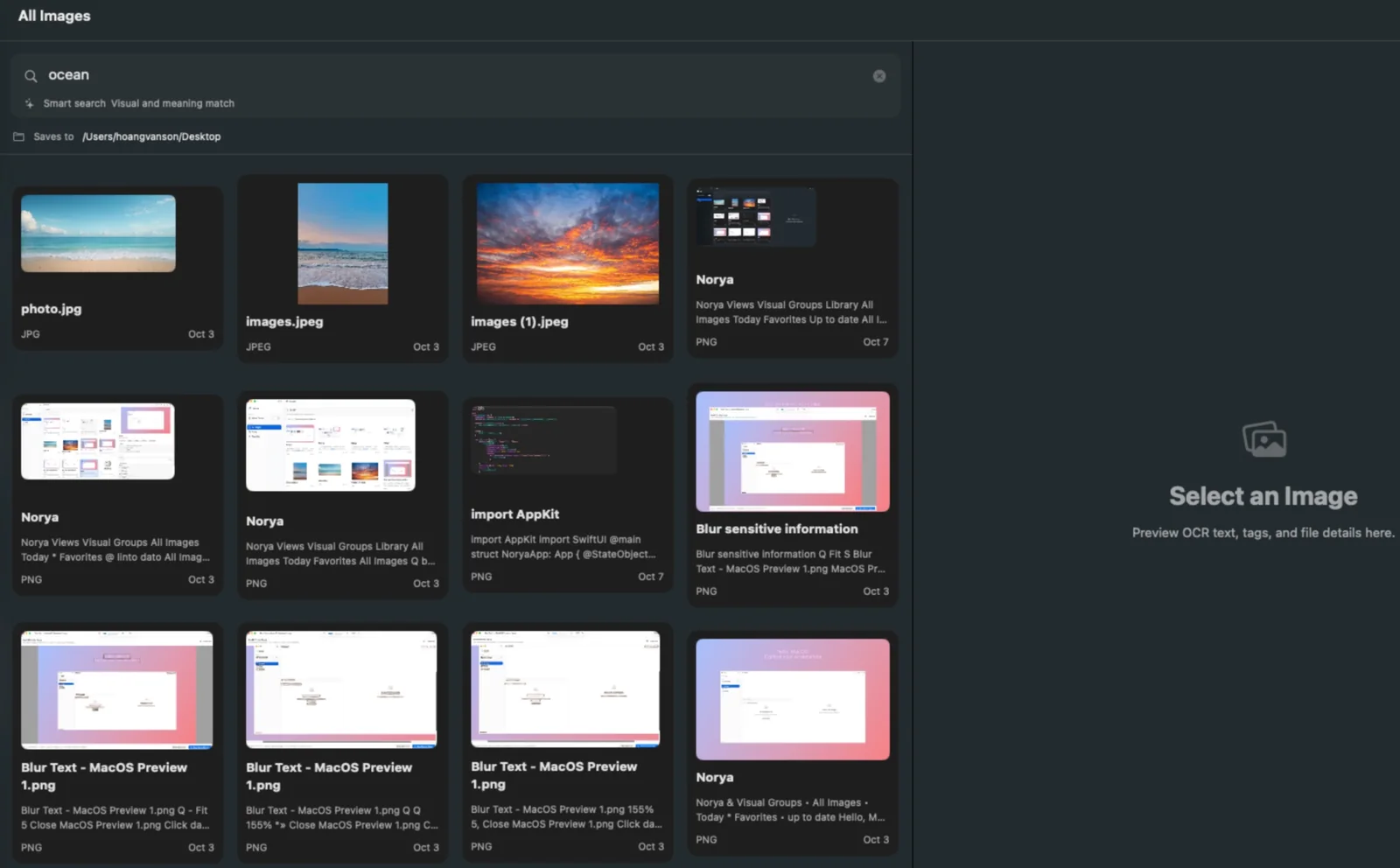
A closer look
See Norya at work.
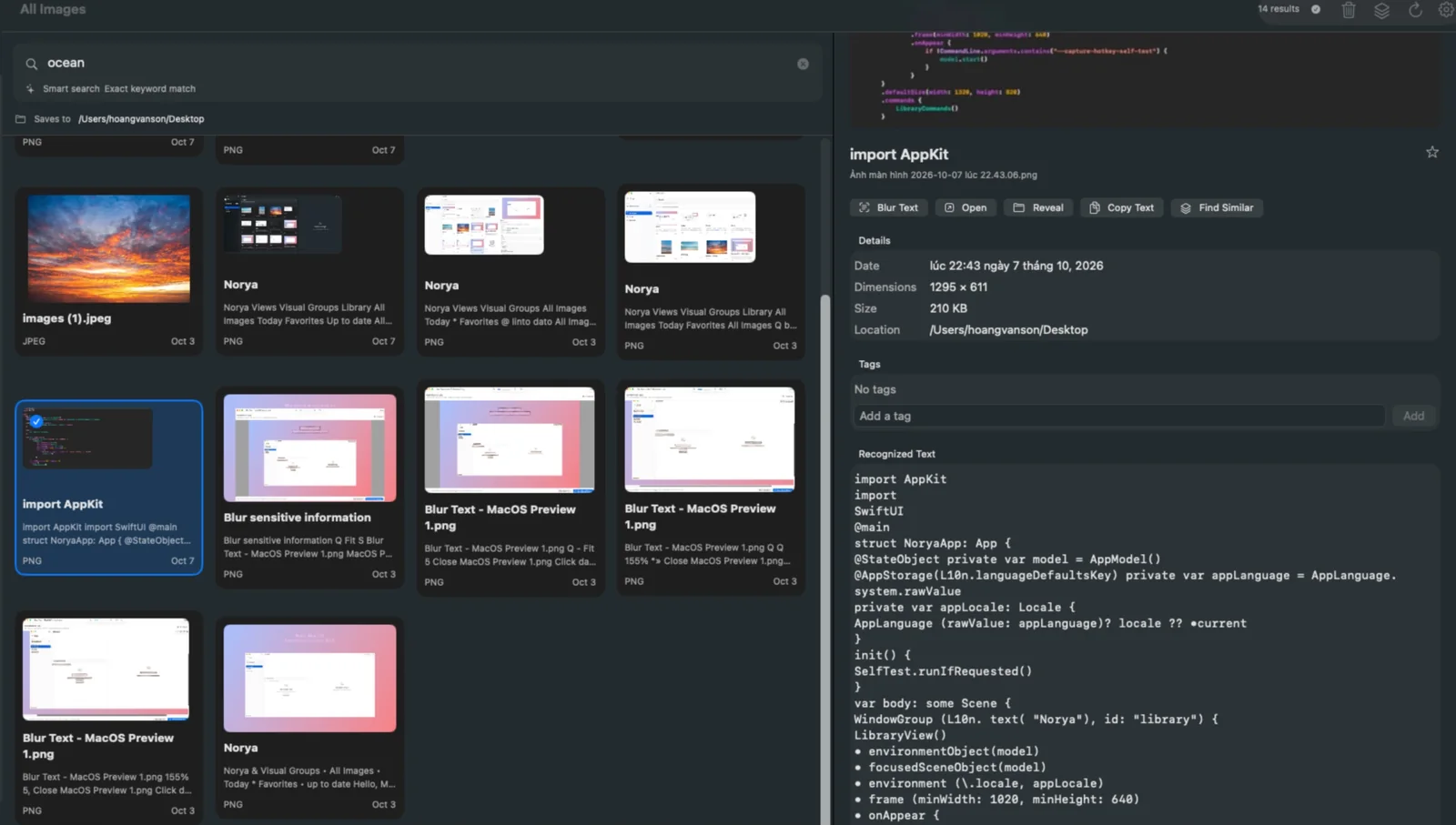
Read the words inside every image.
On-device OCR picks up English and Vietnamese text. Copy it, tag the image, or use Find Similar to see related pictures.
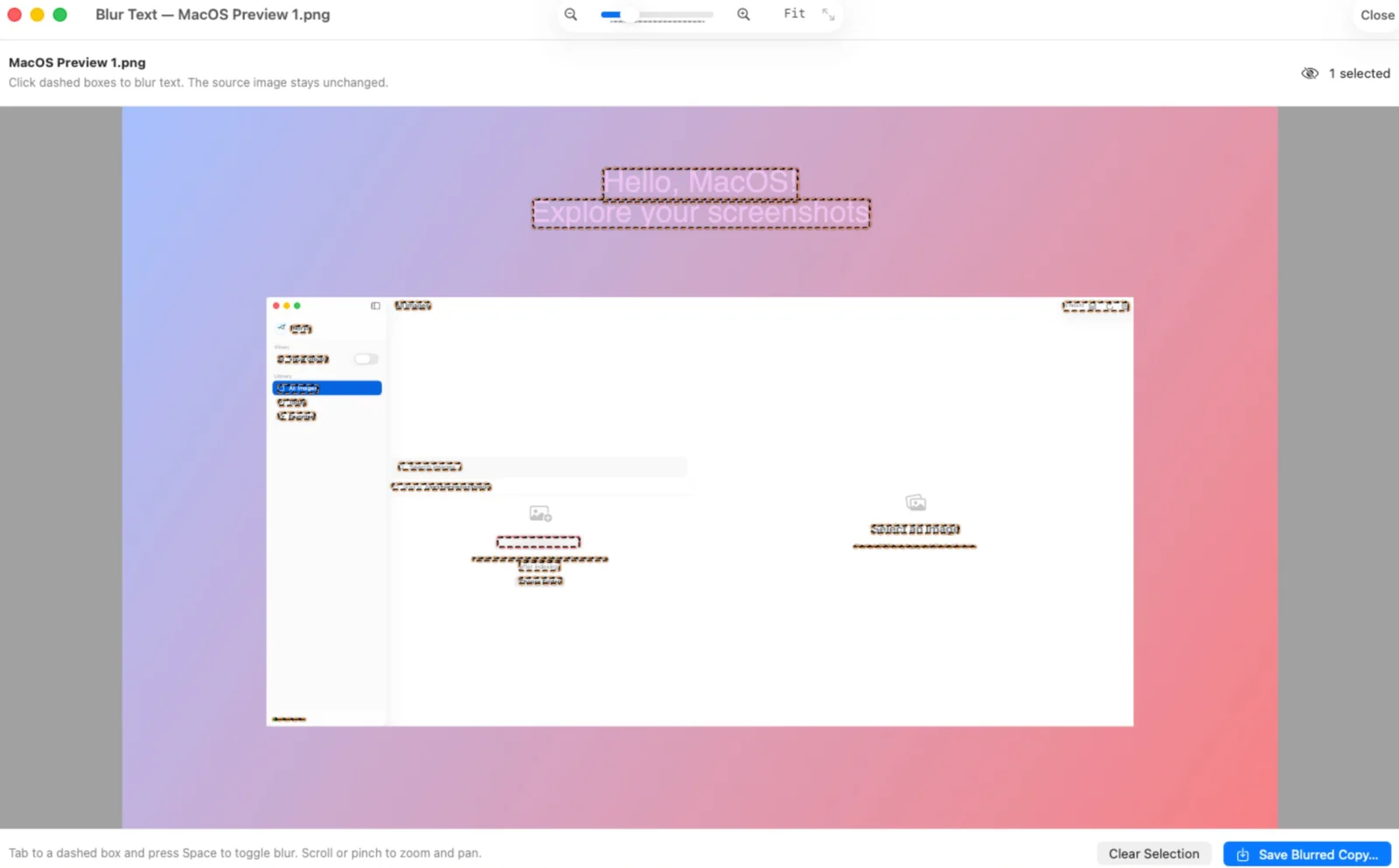
Blur what shouldn’t be shared.
Open an image in the redaction workspace, choose the text regions to blur, and save a separate copy. The original stays untouched.
What it does
A few useful details.
Search by what’s inside
On-device OCR and visual semantic search work together, so you can look for exact words, broader concepts, or pictures with no text at all.
Find similar images
Open any image to see visually related results, or group look-alikes across your library with an adjustable similarity threshold.
Capture and keep going
Press ⌃⇧3 for the main display or ⌃⇧4 for an area. Captures are saved to your folder, copied to the clipboard, and indexed automatically.
Blur sensitive text
Select detected text regions in the redaction workspace and save an edited copy, while the original stays intact.
Always up to date
Index multiple folders and subfolders. Added, changed, and removed images are picked up automatically, and the index can be rebuilt at any time.
Organize your way
Filter results, keep favorites, and move several images to the Trash at once. Use the interface in English or Vietnamese.
Privacy
Private by design.
Your images, recognized text, thumbnails, search queries, and semantic embeddings stay on your Mac.
- No account
- No advertisements
- No analytics
- No cloud uploads
- No remote AI processing
Get Norya on the Mac App Store.
Free · macOS 14.0 or later