
Screenshot privacy · iPhone
BlurBox.
Share the useful parts. Keep the rest private.
BlurBox helps you protect screenshots and images before sharing. It detects text on device, suggests what might be sensitive, and lets you decide what to hide. Suggestions are only suggestions: nothing is hidden without your action.

- Price
- FreeOne-time Pro upgrade available
- Requires
- iOS 17 or later
- Languages
- English
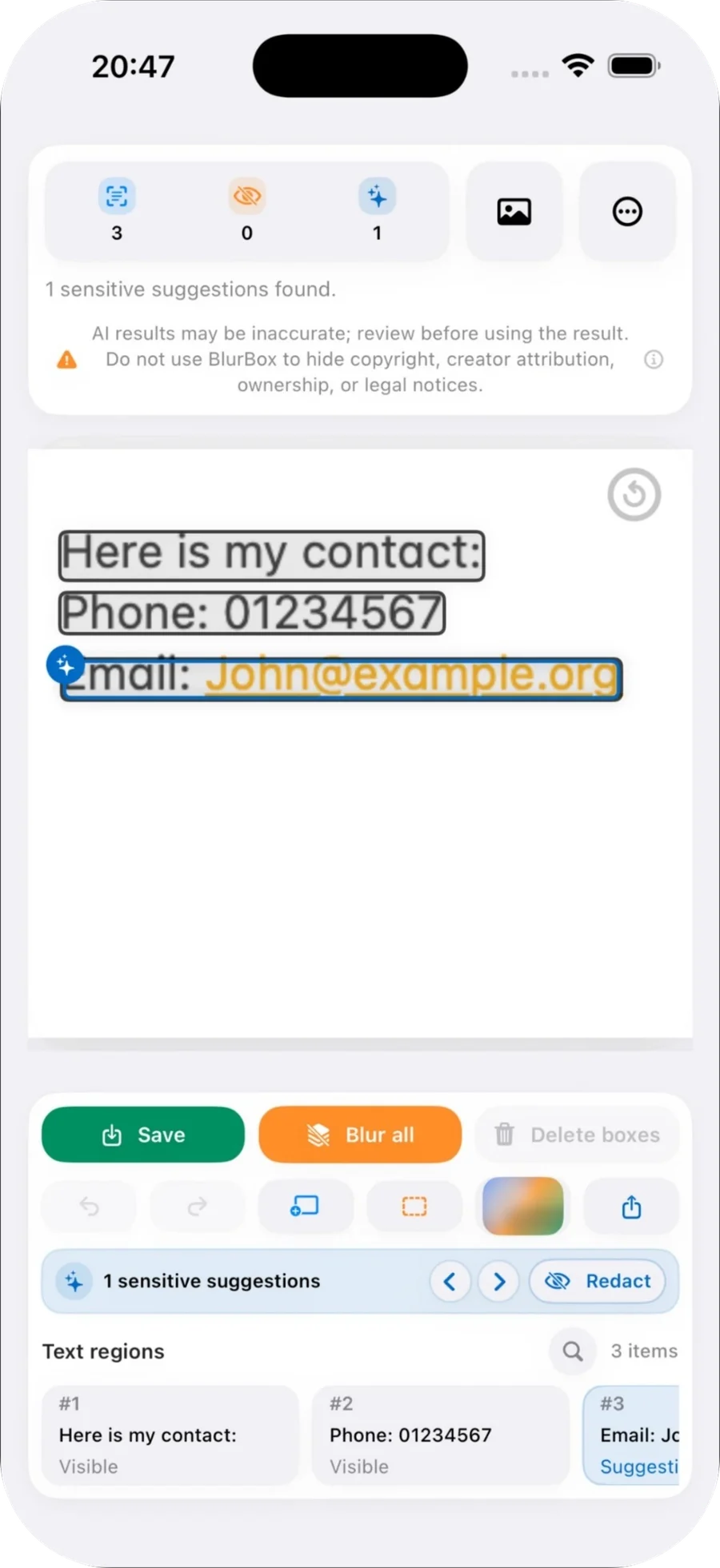
A closer look
See BlurBox at work.
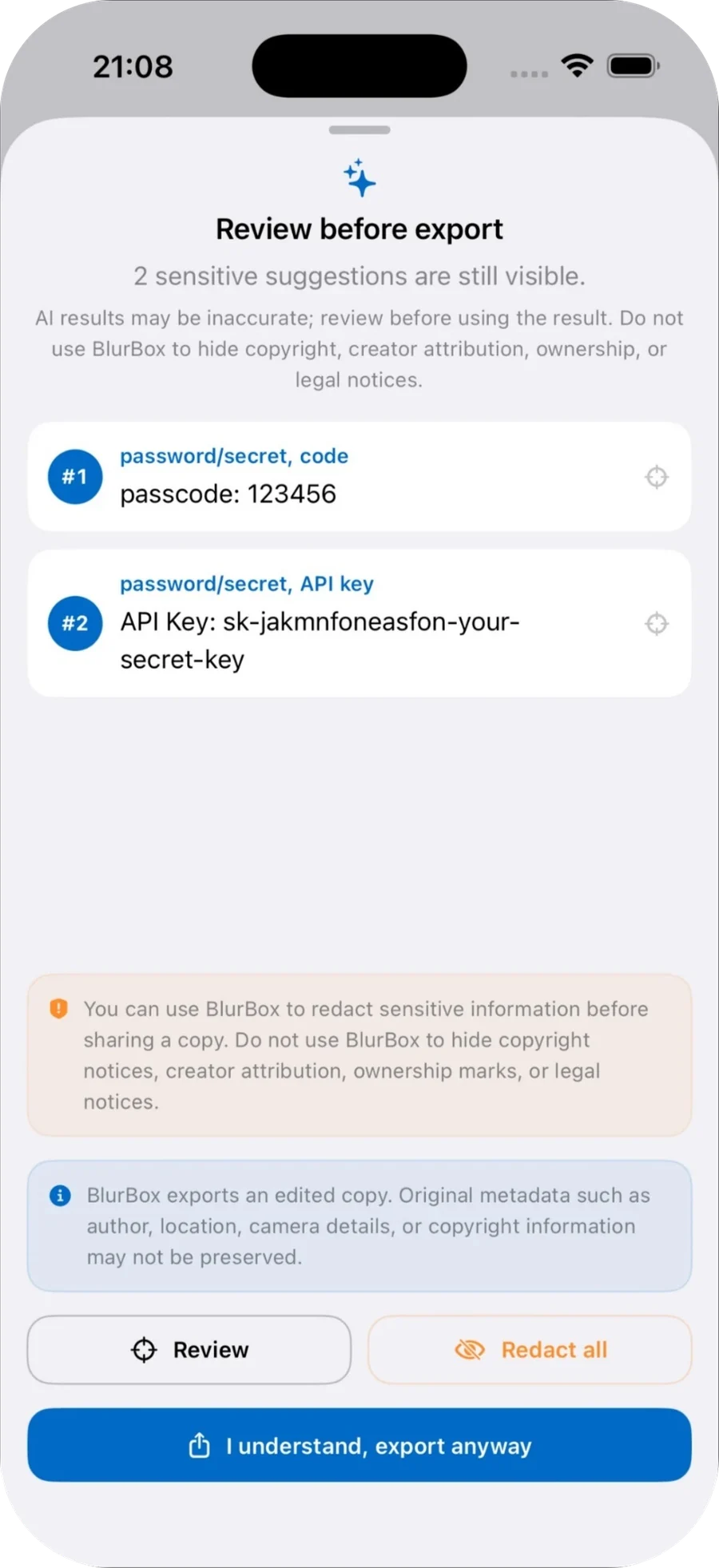
One last look before you share.
Before exporting, BlurBox lists any sensitive suggestions that are still visible, so nothing slips through by accident.
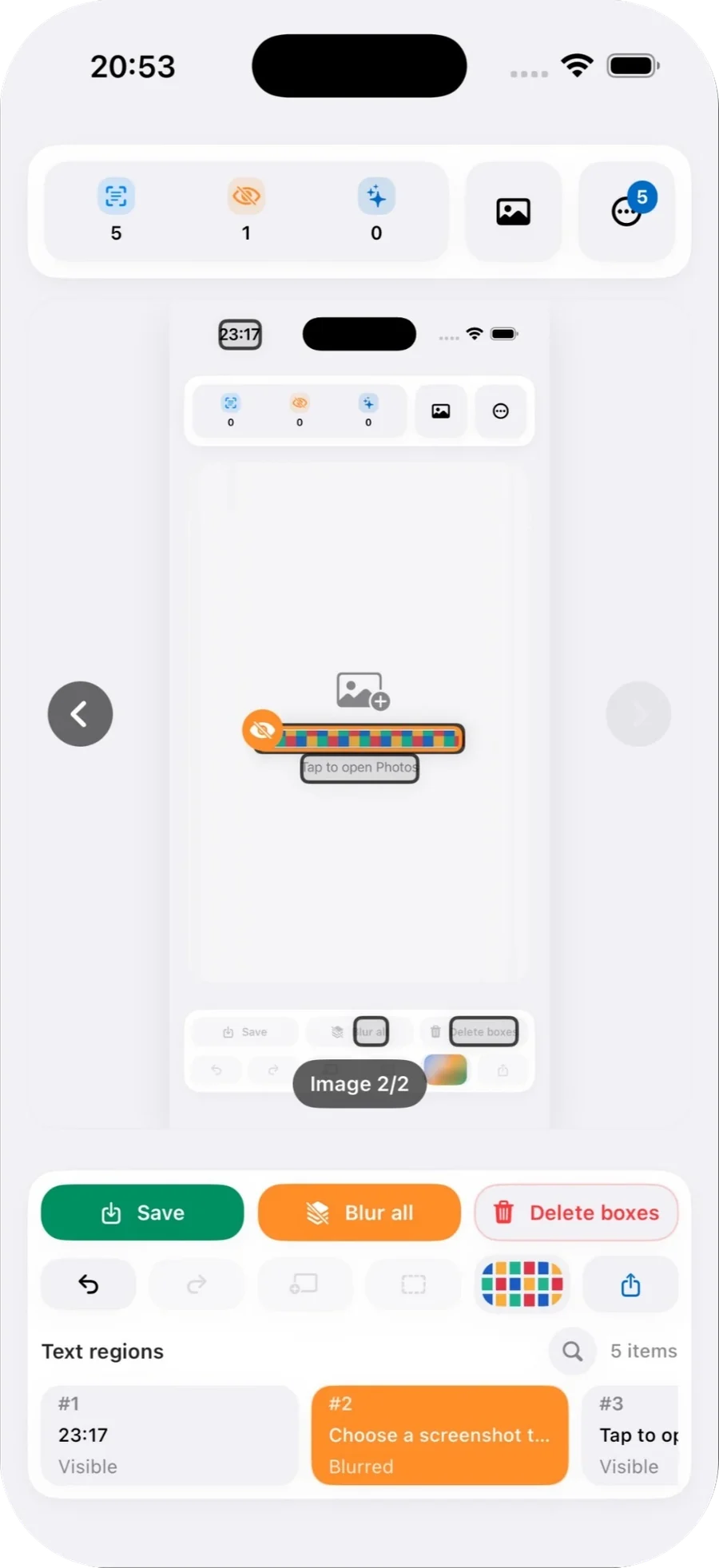
Work through a whole batch.
Choose several screenshots at once and step through them one by one. Tap a region to hide it, or draw your own box.
What it does
A few useful details.
On-device text detection
Text regions are found and read on your iPhone, so your images are not uploaded.
Sensitive info suggestions
Get suggestions for details that may be private, like email addresses, passcodes, or API keys, ready for you to review.
Tap or draw to redact
Tap a detected text region to hide it, or draw a custom redaction box anywhere on the image.
Three redaction styles
Choose a soft blur, a pixelated mosaic, or a solid black box, whichever suits the image.
Batch processing
Open several screenshots at once and review them in one pass instead of one at a time.
Review before sharing
A final check lists anything sensitive that is still visible before you save or share.
Privacy
You stay in control.
Text detection runs on device, so your images are not uploaded. BlurBox suggests; you decide. Nothing is hidden without your action.
- Runs on device
- No image uploads
- Light and Dark Mode
- Free daily exports include a “BlurBox” watermark. A one-time Pro upgrade unlocks unlimited exports without it.
- Text recognition can be inaccurate, so always review an image before sharing it. Exported copies may not keep original metadata such as location or camera details.
Get BlurBox on the App Store.
Free · iOS 17 or later